A mobile-first benefit for eligible BAQA members
Your Branded Body Art Booking App. Powered by BAQA.
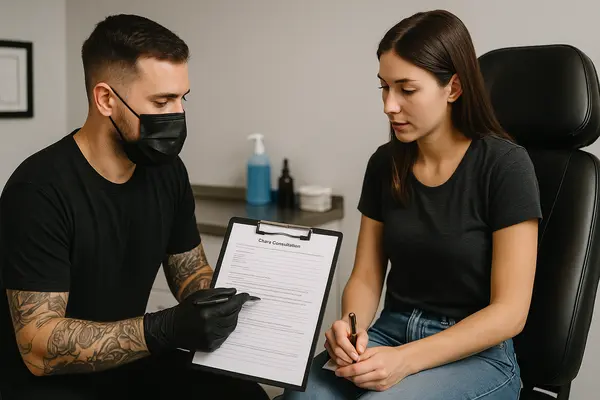
Receive tattoo, piercing and permanent makeup booking requests, approve appointments, communicate deposit terms and optionally collect a signed online indemnity before the scheduled time.
Appointment confirmed
Professional from the first scan
One system for the appointment journey
Replace scattered messages, paper forms and uncertain booking requests with a clear mobile process. Your client knows what happens next, while you keep control of approval, appointment details, deposits and private records.
How it works
From QR scan to signed form
A consistent experience for the client and a practical workflow for the professional.
- 01Share your QR
Display or send a personal booking QR linked specifically to your studio or artist profile.
- 02Receive the request
The client enters their contact details, procedure choice and preferred appointment time.
- 03Review and approve
Accept, reschedule or decline from the member dashboard. The client portal updates with the result.
- 04Confirm deposit terms
Show the deposit amount, payment instructions and current payment status with the booking.
- 05Collect a form when required
If enabled, the online indemnity unlocks after approval and closes at the scheduled appointment time.
Your identity, with BAQA trust
Make the experience recognisably yours
Members can personalise the booking experience without losing the reassurance of BAQA identification. Clients see exactly which professional or studio they are dealing with.
- Public studio or artist name
- Custom logo and home-screen icon
- Clickable phone and WhatsApp contact
- Instagram profile link
- Branded member and client app screens
LOGO
Your Studio Name
Requested appointments require approval.
Designed for daily use
Useful tools—not just another profile page
BAQA Studio helps members move work forward and gives clients one dependable place to follow their appointment.
Two focused experiences
Simple for clients. Powerful for members.
Clients do not need BAQA membership or a separate account. Their private signed link opens a focused, menu-free booking experience. Member tools remain protected behind the member login and eligible membership checks.
My Booking
- Check live appointment status
- Review deposit information
- Sign an indemnity form when requested
- Contact the artist or studio
- Cancel and provide a reason
BAQA Studio
- Approve and organise requests
- Manage services and deposits
- Choose the form requirement per appointment
- Search and download signed PDFs
- Export all signed records
Responsible record handling
Private information stays out of the offline app cache
Private client portals use signed, expiring links. Member records require an eligible BAQA account, and the home-screen app does not deliberately store private client records for offline use.
Questions members ask
BAQA Studio booking FAQ
Is BAQA Studio a downloadable mobile app?
It is a progressive web app. Members can add it to an Android or iPhone home screen and open it like an app, without an app-store download.
Can I use my studio or artist branding?
Yes. Configure your public name, logo, square app icon, phone number and Instagram username. BAQA identification remains visible to support client trust.
Do clients need a BAQA account?
No. Clients use the member-specific public request form and receive a private link to their own live booking portal.
Is a booking automatically confirmed?
No. Public submissions are requests. The artist or studio must accept the request before it becomes an approved appointment. If an online indemnity is required, it then opens until the scheduled appointment time.
Can I communicate deposit requirements?
Yes. Deposit amounts and instructions can be configured per service and adjusted per booking. The client portal and relevant emails display the current information.
Can I keep my forms if I stop using the service?
Yes. Download one PDF or export every signed form in a ZIP archive before switching public invitations off.
Bring your bookings into one professional workflow
Give clients a better booking experience—and give yourself better records.
Available to eligible current BAQA membership categories.
Members remain responsible for adapting procedures, consent wording, privacy practices, cancellation policies and record-retention periods to their jurisdiction, insurer and professional scope. Email delivery depends on the website mail configuration.